
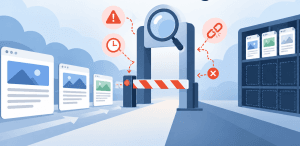
Publishing a new page does not mean Google will immediately add it to search results. Google may not have discovered the URL yet, it may know about the page but have delayed crawling it, or it may have crawled the content and decided not to index it. Technical barriers, duplicate URLs, weak internal linking, canonicalization issues, and low-value content can all play a role.
Crawl budget optimization can help when Google is spending too much time crawling unnecessary URLs instead of the pages that matter. But crawl budget is not automatically the problem. The first step is identifying exactly where your new page is getting stuck.
What Does Crawl Budget Optimization Actually Change for New Pages?
Crawl budget optimization helps Google focus its crawling resources on useful URLs rather than duplicates, outdated pages, unnecessary parameters, and other low-value URL variations. Google defines a site’s crawl budget around two main factors: crawl capacity, which reflects how much crawling a site’s infrastructure can handle, and crawl demand, which reflects how much Google wants to crawl particular URLs.
That distinction matters because crawling and indexing are not the same thing. Google can crawl a page without indexing it. For very large or frequently updated websites, improving crawl efficiency can help important new content get reached sooner, but smaller websites with healthy discovery usually need to look at other causes first.
Google says its advanced crawl-budget guidance is primarily intended for sites with more than one million frequently changing pages, sites with more than 10,000 rapidly changing pages, or sites where a significant portion of URLs remain “Discovered, currently not indexed.”
A broader technical SEO strategy should therefore look at crawlability alongside site structure, content quality, performance, and indexing signals rather than treating crawl budget as an isolated metric.
How Can You Tell Whether Google Has Discovered, Crawled, or Rejected the Page?
Google Search Console should be the starting point. Inspect the URL and review the Page Indexing report before changing content, robots directives, sitemaps, or other technical settings. Different indexing statuses point to different problems.
What Does “Discovered, Currently Not Indexed” Mean?
“Discovered, currently not indexed” means Google knows the URL exists but has not crawled it yet. Without a crawl, Google cannot fully evaluate the page for indexing. This may happen when crawling is delayed because of site capacity, crawl prioritization, or a large inventory of other URLs competing for attention.
If large groups of valuable pages remain in this state, investigate whether Googlebot is spending significant time on duplicate, filtered, parameterized, or outdated URLs. Also check whether the new pages are buried deep in the site architecture or have very few internal links.
What Does “Crawled, Currently Not Indexed” Mean?
“Crawled, currently not indexed” is different. Google has already fetched the URL, which means simply increasing crawling is unlikely to solve the underlying issue.
Check whether the page is highly similar to another URL, lacks substantial original value, sends conflicting canonical signals, or duplicates an existing page’s search intent. Search Console’s live URL test also cannot guarantee indexing because some decisions, including canonical selection, happen later in Google’s indexing systems.
Which Technical Problems Can Waste Googlebot’s Crawl Resources?
Large websites can unintentionally create thousands of URLs Google does not need to repeatedly crawl. Common examples include faceted navigation, sorting parameters, calendar-generated pages, duplicate URL variations, old redirected URLs, soft 404s, and outdated sitemap entries. Google specifically identifies inefficient URL structures such as filters and faceted navigation as potential causes of unnecessary crawler activity.
Effective crawl budget optimization reduces this waste while keeping valuable URLs accessible. Clean up unnecessary URL variants, shorten avoidable redirect chains, maintain accurate canonical signals, remove dead URLs appropriately, and keep server responses stable. Website performance also matters because Google considers server responsiveness when determining how much crawling a host can comfortably support.
Improving website performance can support both crawling efficiency and the experience users receive after reaching the page.
Be careful with noindex. Google generally needs to crawl a page before it can see a noindex directive, so adding noindex tags across unnecessary URLs should not be treated as a direct way to conserve crawling resources.
How Can Internal Links and Sitemaps Help Google Find New Pages Faster?
Internal links give Googlebot paths through your website. A new page that receives relevant links from established pages is easier to discover than an orphan page that exists only in a CMS or sitemap.
Use normal crawlable HTML links and connect related pages where the relationship is genuinely useful. A deliberate internal linking strategy can help search engines understand which pages are important and how different topics relate to one another. Organizing supporting content through a topic cluster strategy can strengthen those relationships further.
XML sitemaps provide another discovery signal. Include indexable canonical URLs, remove obsolete entries, and use <lastmod> only when it accurately represents a significant page update. Google says it uses <lastmod> when the value is consistently accurate, while <priority> and <changefreq> are ignored.
Still, submitting a sitemap does not guarantee immediate crawling or indexing. Google describes sitemaps as useful suggestions rather than commands, so strong site architecture should work alongside them.
When Is Content Quality the Real Indexing Problem Instead of Crawl Budget?
If Google has already crawled a page, improving crawl budget optimization alone will not make that URL index-worthy. At that point, review what the page contributes compared with other pages on your site and competing results already available in Google’s index.
This frequently affects near-duplicate service pages, thin location pages, templated product pages, and articles created primarily to capture slightly different keyword variations. Google groups substantially similar pages and selects a representative canonical URL based on signals collected during indexing. The preferred page you specify is a signal, but Google may ultimately choose another canonical.
Ask whether the page has a distinct purpose. Does it answer something your existing pages do not? Does it provide useful examples, original expertise, or more complete information? Sometimes improving existing content instead of continually publishing new pages creates a stronger search asset and reduces unnecessary overlap.
FAQ
How Long Does It Take Google to Index a New Page?
There is no guaranteed indexing timeframe. Google notes that, for most sites, discovering and crawling page updates can take three days or more, and website owners should not expect every new page to be indexed on the day it is published.
Does Requesting Indexing in Google Search Console Guarantee Indexing?
No. URL Inspection can help you check how Google sees a page and request crawling, but a successful live test does not guarantee that Google will index the URL. Indexing decisions can depend on conditions evaluated after the crawl.
Is Crawl Budget Important for Small Websites?
Usually not as a dedicated optimization project. If Google is discovering and crawling new pages normally, keeping your sitemap clean, maintaining strong internal links, and monitoring Page Indexing reports are generally more useful priorities.
Can Robots.txt Improve Crawl Budget?
Robots.txt can prevent Googlebot from crawling URL areas that genuinely do not need to be crawled, but it should be used carefully. It is not a canonicalization tool, and blocked URLs can sometimes still appear in Google’s index without their content being crawled.
What Should You Do When Important Pages Still Aren’t Being Indexed?
Start with the Search Console status instead of repeatedly pressing “Request Indexing.” Determine whether Google has discovered the page, whether it has actually crawled it, and whether technical or canonical signals are interfering.
Then work outward. Fix crawl barriers, clean unnecessary URL inventory, strengthen internal discovery, maintain accurate sitemaps, and improve pages that Google has already crawled but chosen not to index.
The goal is not to force every URL into Google’s index. It is to make your most useful pages easy to discover, efficient to crawl, and valuable enough to deserve inclusion.
Why QBall Digital Is Your Ideal Choice for Better Crawl Efficiency and Indexing
QBall Digital approaches indexing problems as part of the complete SEO environment rather than treating one Search Console status as an isolated error. That means reviewing technical crawlability, site architecture, website performance, internal links, content structure, and the signals search engines use to understand important pages. A broader diagnostic approach helps identify the actual bottleneck instead of applying the same fix to every unindexed URL.
QBall Digital also focuses on priorities that support business outcomes. Not every filter, archive, tag, or low-value URL needs to appear in Google, but your important service pages, resources, and lead-generating content should be easy for search engines and customers to find. The result is a cleaner website with stronger paths toward the pages that matter.
Get Your Important Pages Found With QBall Digital
If valuable pages are sitting outside Google’s index, guessing can lead to months of unnecessary changes. QBall Digital can evaluate your crawlability, indexation, site structure, content, and technical SEO issues to identify what is holding those pages back and prioritize the fixes most likely to improve organic visibility.